On this page
Chess.com vs Lichess for kids: safety, puzzles, analysis, pricing, and when to use both — an honest comparison from a coach who uses each daily.

Founder of ChessWize. 10+ years in chess education with international academy experience. Designs the structured curriculum that every ChessWize coach teaches. Best for parents who want a clear progression path, not just lessons.
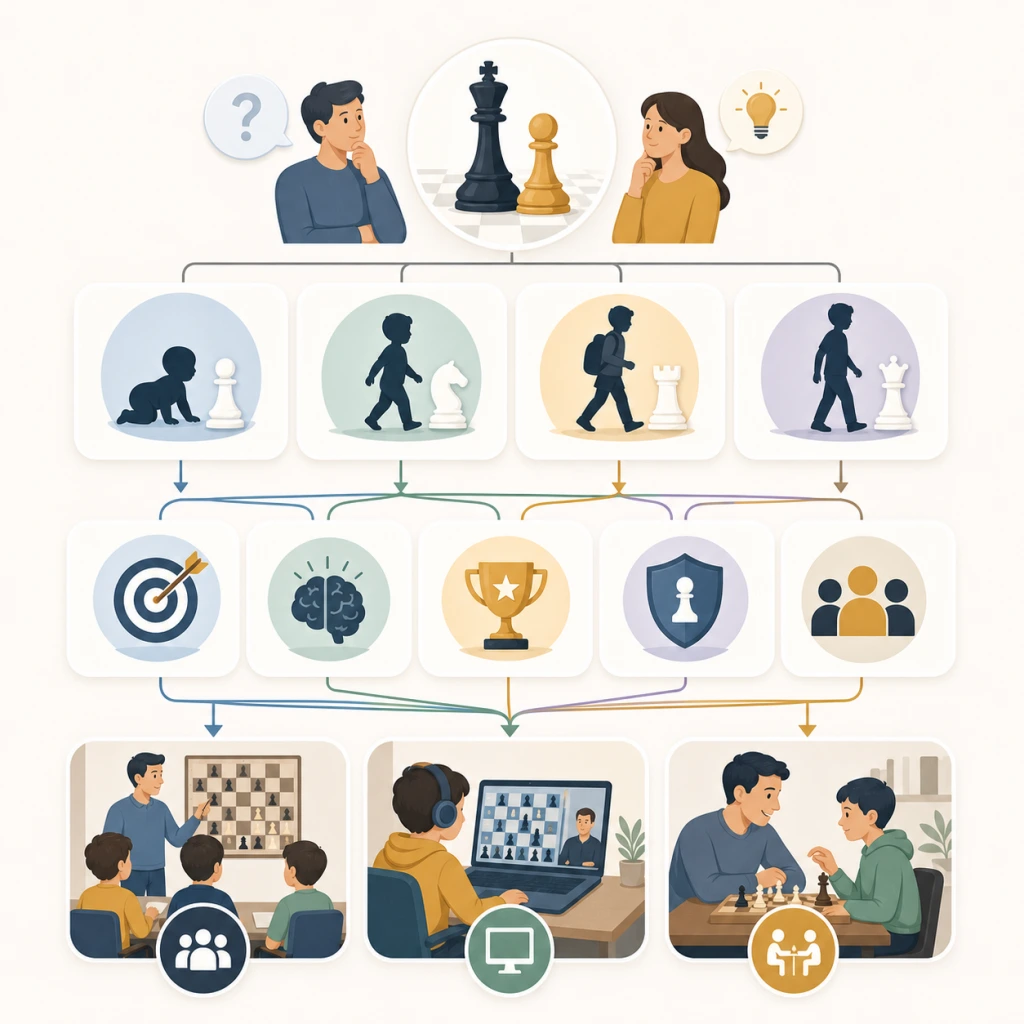
Chess.com vs Lichess for Kids: An Unbiased Comparison#
By Coach Tarun Gupta · Last updated 16 July 2026
Neither Chess.com nor Lichess is universally better for children. Chess.com — especially through ChessKid — suits younger kids who need structured video lessons and a purpose-built safe environment. Lichess suits families who want every analysis and puzzle tool free, forever. Many of my students use both.
ChessWize does not own or profit from either platform. I use both daily when designing homework and reviewing student games. This comparison reflects what I actually assign in live coaching — not affiliate marketing.
Which platform should a parent pick first?#
Chess.com (with ChessKid for under-10s) is the stronger first choice when your child needs guided video lessons, a polished interface, and child-specific safety defaults. The free tier is usable but capped: three puzzles per day, one game review per day, and an opening explorer limited to the first four moves, per Chess.com’s membership documentation.
Lichess is the stronger first choice when your family wants zero subscription cost and unlimited Stockfish analysis on every game. Lichess states on its about page that more than five million games are played daily on a donation-funded model — every feature is open to every account.
If your child already has a coach, the coach’s homework workflow often decides the platform. See our chess homework and practice plan guide for how structured assignments differ from casual play.
Platform overview#
Chess.com is the world’s largest chess platform with over 100 million registered accounts, according to its Wikipedia entry. It is a commercial company with a free tier and paid premium subscriptions. Chess.com also owns ChessKid, a child-specific platform run as a separate site.
Lichess is a free, open-source chess server created by Thibault Duplessis and maintained by community contributors. Its Wikipedia entry describes it as non-profit and donation-funded. Every feature — puzzles, analysis, studies, tournaments — is available without payment.
Both platforms support FIDE-rated players and Indian juniors preparing for AICF tournaments. The difference is what each platform optimises for: Chess.com optimises guided learning and engagement; Lichess optimises unrestricted practice tools.
Feature-by-feature comparison#
Puzzles#
Chess.com: Strong rated puzzle database that adapts to the player’s level. The free tier limits daily puzzles. Gold membership and above unlock unlimited puzzles, Puzzle Rush (timed mode), and themed puzzle packs. Presentation is polished and gamified.
Lichess: Equally strong puzzle database with unlimited free puzzles. Puzzle Storm (speed) and Puzzle Streak (endurance) add variety. Puzzles are community-curated and continuously updated. No premium tier exists.
Verdict for kids: Lichess wins on access — unlimited free puzzles matter when a coach assigns fifteen puzzles a day. Chess.com wins on presentation and themed packs for specific topics like pins and forks (we teach those patterns in chess tactics for kids). Consistency of daily practice matters more than which database you use.
Game analysis#
Chess.com: The free tier provides limited analysis (one game review per day). Platinum unlocks unlimited reviews with accuracy scores and mistake highlighting. Diamond adds coach-style move explanations.
Lichess: Free unlimited analysis powered by Stockfish — the same engine professionals use. Every game can be reviewed immediately with full evaluation, opening classification, and move-by-move accuracy. No daily cap.
Verdict for kids: Lichess wins decisively for self-review between coaching sessions. A child who plays three games after school can analyse all three without hitting a paywall. Chess.com’s premium analysis is excellent, but the one-review-per-day free limit is too tight for active players.
Courses and lessons#
Chess.com: Extensive video library by titled players (GMs, IMs, FMs) covering openings, tactics, endgames, and strategy. Interactive lesson format is engaging. Full access requires premium. ChessKid offers animated lessons for younger children.
Lichess: The Learn section is thinner than Chess.com’s course library. Lichess compensates with collaborative Study boards where coaches publish structured positions and homework.
Verdict for kids: Chess.com wins for self-directed learners who want video courses without a live coach. Lichess wins for coached students who receive structured instruction in live sessions and use the platform primarily for practice. That is the model behind our online chess classes for kids in India — the coach supplies the curriculum; the platform supplies the gym.
Safety#
Chess.com / ChessKid: ChessKid has no free chat between children — communication is limited to safe preset phrases. Friend requests use a double-blind system. An adult can message a child only if registered as that child’s guardian. Parents get a dashboard for linked child accounts. On the main Chess.com site, parents can request Safe Mode, which disables messages, chats, and comments.
Lichess: Kid Mode restricts an account to chess moves only — no free chat, forums, blogs, live streams, or videos. A parent enables it at lichess.org/account/kid and should keep the password so the child cannot disable it.
Verdict for kids: For a child under ten, ChessKid’s guardian-only messaging is more purpose-built than Lichess Kid Mode, which mainly removes features. For a coached child aged ten or older who only plays and analyses — no chat either way — both are safe once Kid Mode or ChessKid is active. Read our dedicated piece on whether online chess coaching is safe for kids for the coaching-side safeguards.
Pricing#
Chess.com: Free (Basic) gives three puzzles per day, one game review per day, and a four-move opening explorer. Gold adds unlimited puzzles and lessons. Platinum adds unlimited game review. Diamond adds move explanations and Insights stats. Pricing is region-locked — check chess.com/membership signed in from India for the current figure rather than trusting a flat USD conversion.
Lichess: Completely free. No advertisements, no subscription prompts. Funded by patron donations per lichess.org/about.
Verdict for kids: Lichess is strongest on value. Chess.com Gold is worth considering if a child wants unlimited lessons and puzzles with a polished interface. Platinum and Diamond mainly add analysis depth that a coached child often receives from their coach instead. For how platform subscriptions compare to live coaching fees, see how much chess lessons cost and our free vs paid coaching guide.
Comparison table#
| Feature | Chess.com | Lichess |
|---|---|---|
| Free tier | 3 puzzles/day, 1 game review/day, 4-move opening explorer | Everything, unlimited, always |
| Paid tiers | Gold → Platinum → Diamond, region-priced | None — no paid tier exists |
| Puzzles | Unlimited from Gold up | Unlimited (free) |
| Game analysis | Unlimited from Platinum; move explanations on Diamond | Unlimited Stockfish analysis (free) |
| Courses | Extensive video library (titled instructors) | Minimal Learn section; strong Study boards for coach-led work |
| Study boards | Limited | Collaborative studies |
| Child safety | ChessKid: guardian messaging, preset phrases; main site: Safe Mode | Kid Mode: chess-moves-only, no forums/chat/videos |
| Interface | Polished, modern | Clean, fast |
| Ads | None on paid tiers | None, ever |
| Opening explorer | Full depth from Gold up | Free, full depth |
Which platform for which child?#
Choose Chess.com (with ChessKid) if:
- Your child is under ten and you want a moderated, child-specific environment
- Your child learns well from structured video courses without daily coach contact
- Your family prefers gamification (badges, streaks, daily puzzle challenges)
- You are willing to pay for premium features that enhance self-directed learning
Choose Lichess if:
- Your family wants a free platform with no payment required
- Your child is coached and uses the platform for homework, not self-directed courses
- Your child is ten or older and does not need ChessKid’s guardian messaging
- You want unlimited game analysis on every game without subscription limits
- Your coach uses Lichess Study boards for lesson preparation
Use both if:
- Chess.com or ChessKid for structured video lessons and younger-sibling safety
- Lichess for unlimited analysis, puzzle volume, and collaborative study boards
- This hybrid costs at most one Chess.com subscription while covering learning and practice
For a three-way view that includes live coaching, read ChessWize vs Chess.com and ChessWize vs Lichess. Our broader chess coaching comparisons hub links every platform and academy piece we publish.
How I evaluate which platform a new student should use#
When a parent books a free 30-minute demo with ChessWize, one of the first practical questions I ask is not “Can your child play chess?” but “What does your child already do on a screen after school, and who supervises it?” Platform choice follows from that answer more often than from rating or age alone.
I start with age and independence. A six-year-old who has never touched a chess app needs ChessKid or Lichess with Kid Mode enabled before anything else. I walk the parent through enabling Kid Mode on Lichess or linking a ChessKid guardian account — step by step, on the call — because a safety setting that is not switched on does not exist. For a twelve-year-old who has played school chess for two years and only needs a place to practise tactics, Lichess alone is usually sufficient.
Next I look at learning mode. Self-directed learners — children who happily watch a twenty-minute video and then try exercises alone — benefit from Chess.com’s course library even before they join live coaching. Coach-directed learners — the majority of my students — need a platform that supports homework I assign: specific puzzle ratings, named opening lines, and Study boards with comments. Lichess Study is where I publish those assignments because every student can access them free, permanently, without a parent buying a second subscription.
Then I run a short diagnostic game or puzzle set on whichever platform the family already uses. I am not testing strength; I am testing behaviour. Does the child click the first move they see? Do they scroll away mid-puzzle? Do they open another browser tab during analysis? Those habits tell me whether the bottleneck is platform features or structure — and structure is what live coaching on our courses page supplies. A child who blitzes through thirty rapid games on Chess.com without reviewing any of them is not under-platformed; they are under-coached.
Here is a worked example I see regularly, described without naming any student. A nine-year-old from Bengaluru joins with a Chess.com basic account. The parent pays for Gold because the child loves the lesson videos. Homework is ten puzzles and one analysed game per day. On Gold, puzzles are unlimited, but game review is still capped at one per day on Basic and only becomes unlimited at Platinum. The family faces a choice: upgrade to Platinum for analysis, or add Lichess for free analysis while keeping Chess.com for lessons. I recommend the hybrid almost every time — Chess.com for learning new ideas, Lichess for reviewing every game played that week. The child keeps one paid subscription instead of two, and I link a Lichess Study with the positions I want them to revisit.
For tournament-track students, I add a fourth criterion: time-control match. Indian junior events often use rapid or classical controls. If a student only plays bullet and blitz online, their over-the-board rapid feels unfamiliar. I assign slower games on whichever platform the family prefers, then require written answers to three questions after each game: What was my plan? Where did it go wrong? What would I play differently? That reflection step is where learning happens — not in the platform logo.
Finally I set a thirty-day check-in. Not a rating target — I do not promise rating jumps — but a habit target: puzzles completed, games analysed, lessons watched. If the child hits the habit target on one platform, we stay. If they fight the interface every evening, we switch. The chess practice for kids at home guide lists the exact weekly template I use for that check-in.
Platform choice is not permanent. I have moved students from Chess.com-only to Lichess-only and back when family budget or coaching format changed. The platform is a tool; the coach’s assignment design is the system.
How Indian players use these platforms#
Indian junior players have patterns worth knowing:
Online practice timing: Most children practise between 5 PM and 9 PM IST — after school, before dinner. Both platforms have strong Indian player pools in that window, so your child often faces opponents from a similar training culture.
Tournament preparation: Serious juniors use online games to test opening preparation before AICF events. Rapid games on Lichess or Chess.com simulate tournament time pressure. Our first tournament guide covers when online practice should shift toward over-the-board events.
Coaching integration: Indian academies assign platform homework differently. I use Lichess Study boards because they are free, collaborative, and permanently accessible. Coaches who prefer Chess.com’s analysis UI have valid reasons too. What matters is that homework is specific — not “play five games” but “play five rapid games as White in the Italian Game and annotate move ten.”
Families in Mumbai, Bangalore, and Delhi use the same platforms; geography does not change the feature set. It changes who your child meets online during evening hours.
Where each platform wins — and where it does not#
Chess.com wins on structured video education, ChessKid safety for young children, and polished onboarding for complete beginners. Families who want one app that teaches openings step by step without hiring a coach yet will get more from Chess.com’s library than from Lichess’s Learn section.
Lichess wins on unlimited free analysis, unlimited puzzles, collaborative Study boards, and long-term cost. Families on a tight budget should not feel they are handicapping a child by choosing Lichess — the engine and puzzle depth are professional-grade.
Neither platform wins on accountability, error diagnosis, or tournament preparation planning. Both let a child play endlessly without reflection. That gap is what live coaching fills. Compare coaching models on our /compare page and meet the FIDE-rated coaches who design the homework that makes either platform useful.
The missing piece: coaching#
Both platforms are practice tools. Neither replaces a coach who diagnoses recurring mistakes, enforces review habits, and prepares a child for a first rated tournament.
The platform is the gym; the coach is the trainer. Access to weights does not replace a programme that corrects form. In chess, the coaching relationship supplies direction platforms cannot replicate. ChessWize sessions start from ₹375 per group class (batches of six), ₹550 for two-on-one, and ₹1,000 for one-to-one, with a starter pack of eight classes at ₹2,500 and a complimentary 30-minute demo. Unused classes are refunded. The same coach runs every session — no rotation.
Expert tips from my coaching practice#
These are the rules I give parents when we set up platform accounts:
-
Enable safety settings before the first game, not after. Kid Mode on Lichess or a ChessKid guardian link takes five minutes and prevents problems that are harder to undo once a child has explored chat features.
-
Cap bullet and blitz until review habits exist. Fast games are fun but teach impulsive clicking. I let new students play rapid or classical online until they can narrate one mistake from each game.
-
Assign puzzles by rating band, not by volume alone. Twenty puzzles three hundred points below a child’s strength are entertainment. Ten puzzles at the edge of their ability — on either platform — build calculation.
-
Use Lichess Study for coach homework even if the child prefers Chess.com for play. Paste the Study link into WhatsApp; the parent opens it once. No subscription conflict.
-
Schedule analysis before the next game. The pattern I correct most often is play-play-play without review. One analysed game beats three unchecked blitz games for learning.
Frequently Asked Questions#
Is Chess.com or Lichess better for kids?#
Neither is universally better. Chess.com (via ChessKid) is better for young children who need safety features and structured courses. Lichess is better for families who want a completely free platform with unlimited analysis and practice.
Why is Lichess free?#
Lichess is run as a non-profit, open-source project funded entirely by community donations. The founder and team believe chess tools should be accessible to everyone regardless of financial means.
Which platform is better for puzzles?#
Both offer excellent puzzle databases. Lichess provides unlimited free puzzles. Chess.com limits free puzzles but offers themed puzzle packs and Puzzle Rush on premium. For kids who solve ten or more puzzles daily, Lichess’s unlimited access is more practical.
Does a Chess.com Premium membership include ChessKid Gold?#
No. Chess.com owns ChessKid, but the two are billed separately. A Chess.com Gold, Platinum, or Diamond subscription does not automatically unlock ChessKid Gold for your child’s linked account — it only qualifies you for a discount, around 40%, on a separate yearly ChessKid Gold plan.
What does Lichess’s Kid Mode actually restrict?#
Kid Mode limits a child’s Lichess account to chess moves only — no free chat, and no access to forums, blogs, live streams, or videos. A parent turns it on at lichess.org/account/kid and should keep the account password so the child cannot switch it back off later.
Does Chess.com have a “kid mode” like Lichess does?#
Not exactly. Chess.com’s main site offers Safe Mode, which a parent enables through support to disable all messages, chats, and comments on an account — similar in effect to Lichess’s Kid Mode. For a dedicated child environment, ChessKid goes further, with guardian-only messaging and no free chat by default.
Can my child use both Chess.com and Lichess?#
Yes, and many coached students do exactly this. A common combination is Chess.com or ChessKid for structured video lessons and Lichess for unlimited free puzzles and game analysis — which covers both learning and practice needs while adding, at most, only the cost of a single Chess.com subscription.
Back to parent hub: Chess coaching comparisons.
See also: ChessWize vs Chess.com · ChessWize vs Lichess
Return to the main hub: Online chess coaching for kids in India.
Tarun Gupta
Founder of ChessWize. 10+ years in chess education with international academy experience. Designs the structured curriculum that every ChessWize coach teaches. Best for parents who want a clear progression path, not just lessons.
View FIDE ProfileReferences & Sources
- [01] Chess.com is the world's largest chess platform with over 100 million accounts — en.wikipedia.org/wiki/Chess.com, accessed 2026-07-16
- [02] Lichess is a free, open-source chess server funded by donations — en.wikipedia.org/wiki/Lichess, accessed 2026-07-16
- [03] Chess.com's paid tiers are Gold, Platinum and Diamond, each layered on the last — support.chess.com/en/articles/8562418, accessed 2026-07-16
- [04] A Chess.com Premium subscription does not unlock ChessKid Gold automatically — support.chesskid.com/en/articles/8858576, accessed 2026-07-16
- [05] Lichess users play more than five million games every day, funded by patron donations — lichess.org/about, accessed 2026-07-16
- [06] Lichess Kid Mode restricts an account to chess moves only and disables forums, blogs, live streams and videos — lichess.org/page/kid-mode, accessed 2026-07-16
- [07] Chess.com Safe Mode disables messages, chats, and comments when enabled through support — support.chess.com/en/articles/8614033, accessed 2026-07-16